When a funded project ends, its resources can still help a school change what happens in the next lesson. Digital First concludes on 30 November 2026, leaving published research, recommendations, teacher competence maps and multimedia materials that educators can consult and adapt to their own contexts.
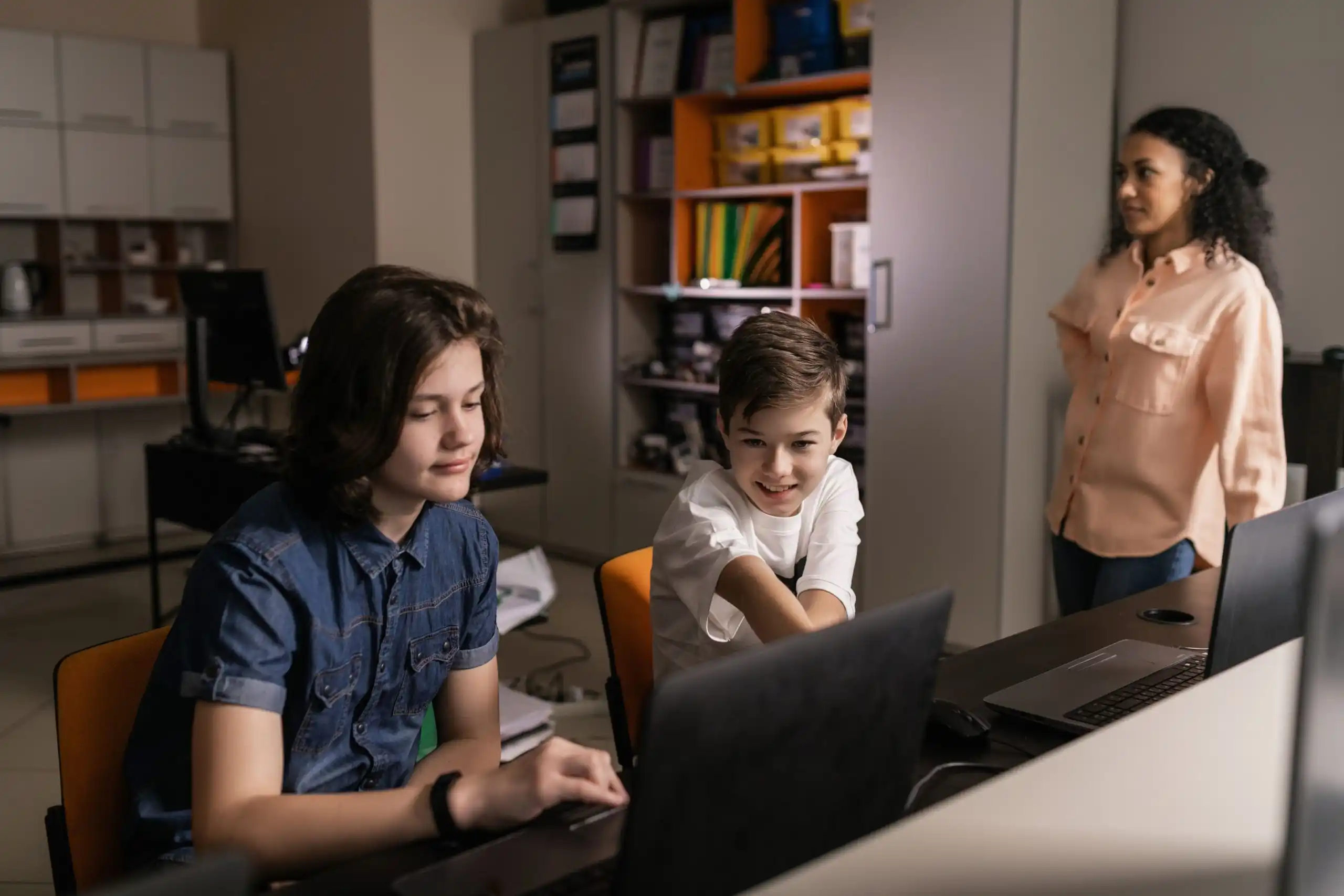
Illustrative stock photograph. Photo: Alena Darmel / Pexels. Not a Digital First activity.
A teaching team can begin with a familiar digital situation and a clear learning objective, using equipment already available at school. This guide connects Digital First’s public resources with manageable classroom activities and a process for improving them after teaching.
The activities and planning sequence below are proposals for educators to adapt to their curriculum, learners, available time and approved tools. They build on the project’s educational direction while leaving room for schools to make their own pedagogical decisions.
Begin with the purpose of the activity
Digital First’s functional approach connects informatics learning with the purposes technology serves in people’s lives. Learners might use it to express an idea, communicate with others, investigate a question or create something. Begin by identifying that purpose, then choose the concepts and tools students need to explore it.
The Recommendations on teaching and assessing informatics explain the approach and offer pedagogical guidance. Start with a relevant section, rather than trying to implement the whole framework at once. Ask what students should be able to understand, make or justify by the end of the activity.
For example, a class might create a guide to respectful group messaging. The purpose is to communicate and agree workable rules. The informatics learning could involve modelling a sequence of decisions, considering the information a platform reveals, or testing how interface choices affect users. A digital product gives the work an audience, while the underlying concepts give it educational substance.
Connect creation with everyday digital experience
A useful starting question is what learners already encounter online and find difficult to judge. Invite discussion through fictional cases, without requiring students to disclose private conversations, personal profiles or experiences they would prefer to keep confidential.
One proposed activity is a source-checking guide for a school newsletter. Students compare teacher-selected claims, record where the information came from, identify what can be checked and explain why a source is credible or uncertain. They then build a short decision guide that another class can test. The task combines information evaluation with a practical product and an opportunity to revise it after feedback.
A second possibility is an interactive story about an online misunderstanding. Learners plan alternative paths, use conditions or branching to represent choices, and discuss how each outcome changes the message. The technology can be a familiar presentation tool or a programming environment already available at school. Assess the reasoning and the model as well as the finished story.
The project’s educational videos can introduce discussion. AI & Ethics for Young Digital Citizens offers a starting point for questioning AI outputs; Educational Robotics and Functional Informatics can help a class consider how code connects with observable actions. Preview each video and select an age-appropriate segment before teaching.
Use the published resources as a working collection
Choose resources according to the question your team needs to answer. For an initial staff discussion, the transnational research report provides background on teaching and learning informatics across the participating countries. Ask which challenges colleagues recognise locally and which need checking with your own learners.
For lesson planning, use the recommendations alongside the primary teacher competence map or the secondary teacher competence map. Select an area relevant to the activity, identify what the teacher needs to know and decide what support would make the lesson feasible.
For an example to discuss with a colleague, choose a short segment from the webinar collection. From Theory to Practice and Ready to Pilot introduce the approach and teacher preparation. The podcasts offer further discussion material, including classroom perspectives. Note one idea to try and one question to resolve before teaching.
Keep the public deliverables page as a reference for the reports. Use the guidance and recorded examples to develop an activity suited to your class. Save the resource title and link beside the lesson plan so colleagues can find the same material when adapting it.
Make teacher development part of the timetable
The project’s framework for continuous and informal teacher training provides a reference for continuing professional development. A practical school response is to create a small, repeatable cycle of preparation, classroom application and review.
For the first cycle, two colleagues could prepare an activity together using the chosen resource. Agree what students will be asked to explain and anticipate where they may need help. After teaching, compare student work and discuss where instructions were unclear or the task became too demanding. Record one change to test next time.
School leaders can make this feasible by agreeing preparation time and access to equipment in advance. Keep the record short: the learning aim, the activity, the evidence examined and the proposed adaptation. A growing collection of tested local plans is more usable when colleagues can quickly understand what each plan requires and what still needs work.
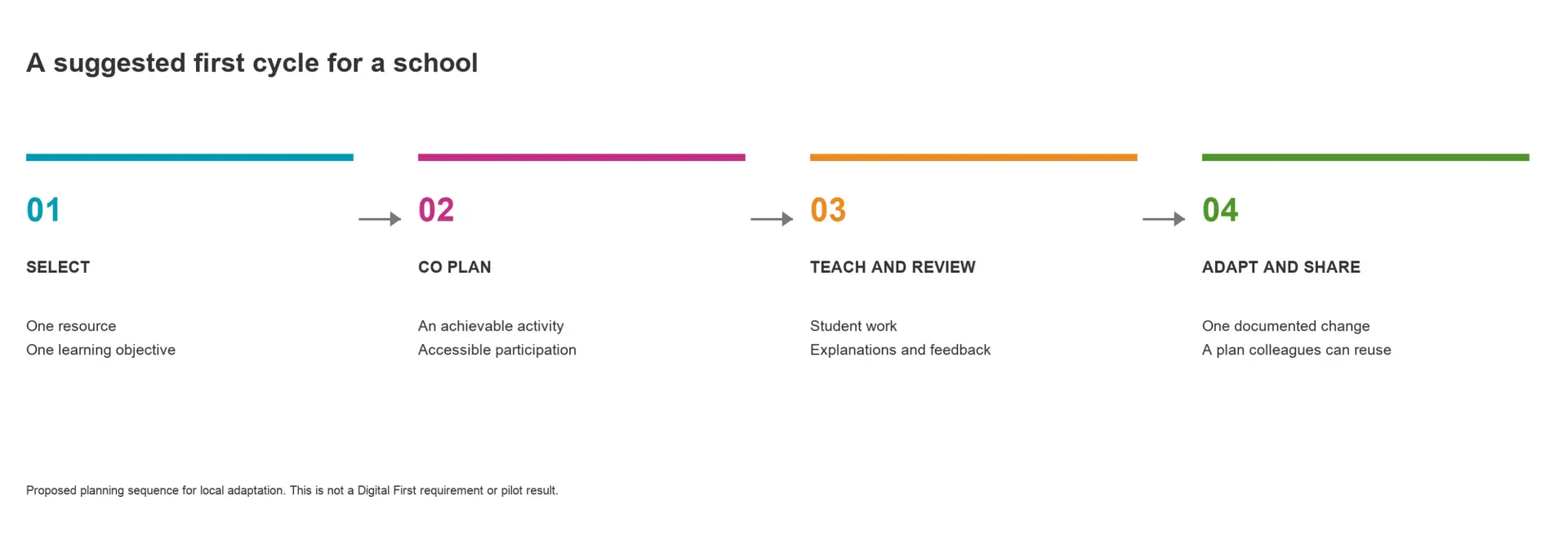
A suggested cycle for planning, trying and improving a classroom activity. Graphic: Digital First / Project Lighthouse NPO.
Plan for participation from the beginning
Inclusive delivery starts before students open an application. Check the language and reading demands of instructions, the accessibility of the tool, and the amount of interface navigation the task requires. Give a worked example and separate the essential activity from optional extensions.
Where equipment is shared, assign roles that rotate, such as planning, operating, checking and explaining. Ensure every learner has a way to contribute to the reasoning, rather than leaving the most confident user in control. Offer alternatives for explaining an idea, including a short spoken account, an annotated image or a written explanation.
Prepare an offline route when possible. Students can plan a branching story on paper, discuss a fictional message or organise a sequence of decisions before using a device. The alternative should preserve the intended learning objective. It should also remain available to students who cannot continue the work on a personal device at home.
Review learning through explanations and revisions
A completed presentation or programme does not reveal everything a student understood. Ask learners to explain a choice, identify an error, describe what feedback changed or apply the idea to a new example. Keep the evidence proportionate to the activity.
For the source-checking guide, a teacher might review whether students distinguished a claim from supporting evidence, justified a judgement and improved the guide after testing. A short final prompt can ask what they would do differently when encountering a similar claim elsewhere. Discuss the criteria with learners before they begin, so that the final review connects with the purpose of their work.
Schools considering more formal learning analytics can consult the project’s published guide on legal and ethical considerations for educational data. For an initial classroom activity, anonymised examples of work and a teacher’s brief observations may be sufficient. Decide what educational question the evidence will answer before choosing how to collect it.
Keep families and colleagues in the conversation
The Dialogue Club model suggests a useful way to continue discussing digital learning with different stakeholders. A school could organise a short meeting around one question, such as how students decide whether online information is reliable. Use an educational video or a fictional example to begin, and invite teachers, learners and families to contribute their perspectives.
For a locally organised discussion to lead to action, agree a specific next step and identify who will follow it up. For example, staff might revise a classroom task while families receive a short explanation of the same learning purpose.
Choose a first step that can be repeated
Over a half-term, a school could select a resource and objective, co-plan and teach one activity, review a small sample of learning evidence, then revise the plan for reuse. The sequence can fit an existing staff meeting and curriculum unit. Choose a pace that gives colleagues enough time to examine what happened before repeating the activity.
Continuity depends on assigning responsibility and making the work easy to revisit. Keep the resource links, local lesson plan and brief review in a shared school location, with the date and author recorded. Digital First’s funding period is ending, but schools can continue using its outputs through decisions that give the resources a clear purpose in everyday teaching.